Excel Quick Start
Install the Excel module first. If you have not imported ParseEncodedString.bas into your workbook yet, follow Install in Excel for Mac or Install in Excel for Windows.
Excel users only need the single ParseEncodedString.bas file, not the full repository.
- Run
DataMatrix2Codes. On an empty sheet, it prepares the scanner worksheet. - Scan raw strings into column
Aunder the headerCODE. - Run
DataMatrix2Codesagain to convert the rows. - Review rows where
STATUSis notOK.
DataMatrix2Codes formats columns A:I as text before scanning and conversion. This matters because Excel treats some scanner input as formulas and converts long numeric-looking values such as PC to scientific notation unless the cells are already text.
See Example Codes for complete raw strings and their parsed PC, SN, LOTE, CAD, and review columns.
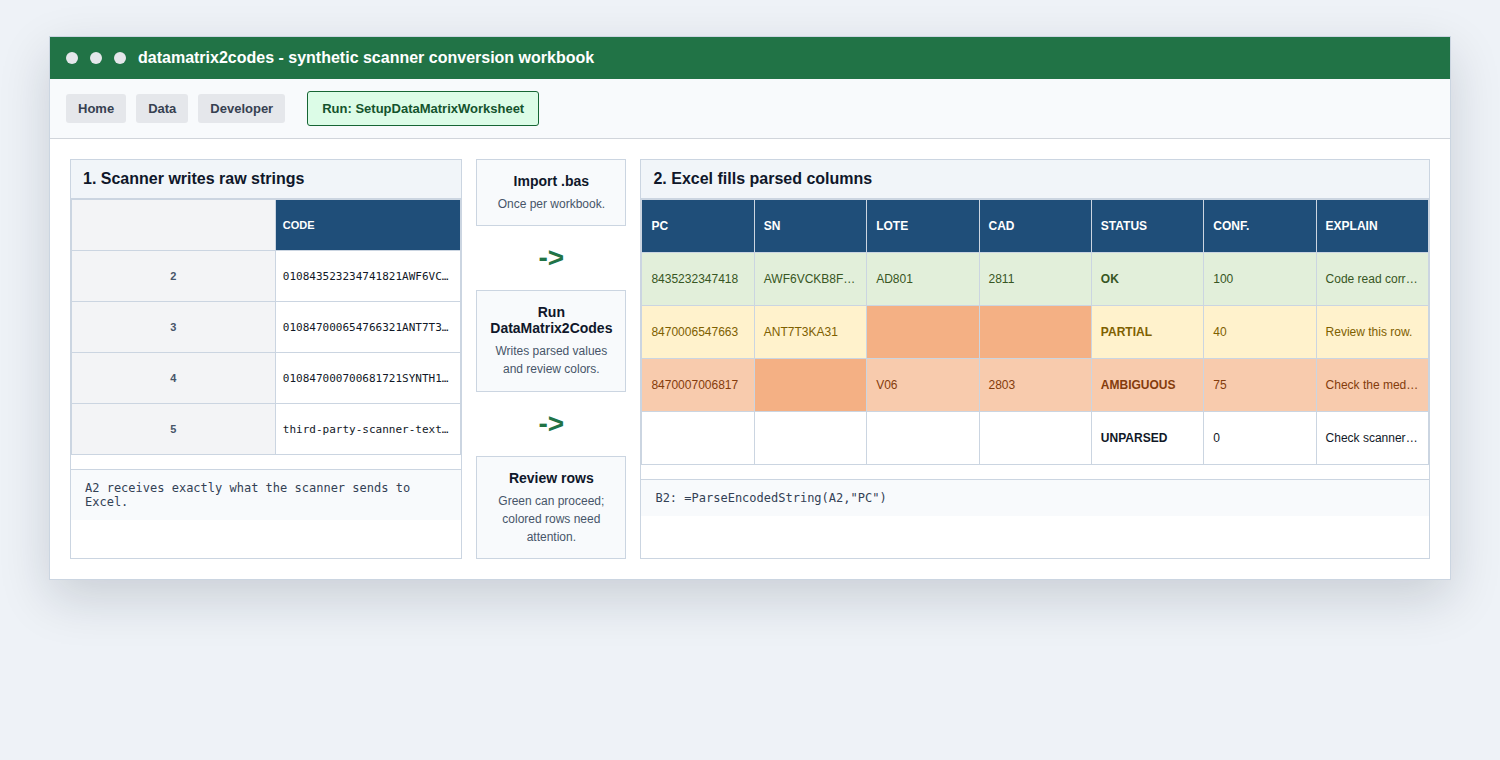
CODE; the macro fills parsed columns and review messages.The macro creates this worksheet shape:
| CODE | PC | SN | LOTE | CAD | STATUS | CONFIDENCE | HAS_GS | EXPLAIN |
|---|---|---|---|---|---|---|---|---|
| raw scan | parsed | parsed | parsed | parsed | review status | 0-100 | TRUE/FALSE | short explanation |
You can also use formulas directly:
=ParseEncodedString(A2,"PC")
=ParseEncodedString(A2,"SN")
=ParseEncodedString(A2,"LOTE")
=ParseEncodedString(A2,"CAD")
=ParseEncodedString(A2,"STATUS")
=ParseEncodedString(A2,"EXPLAIN")
If Excel rejects the formula, use your local argument separator. Spanish/macOS Excel commonly uses semicolons:
=ParseEncodedString(A2;"PC")
CAD is returned as YYMM. For example, November 2028 is 2811.