Install In Excel For Mac
Use this path when the scanner writes directly into Microsoft Excel on macOS.
Requirements
- Microsoft Excel for Mac with macros enabled.
- The single VBA module file:
ParseEncodedString.bas. - A macro-enabled workbook (
.xlsm).
No ActiveX component is required. The module is pure VBA and does not use VBScript.RegExp.
Use ParseEncodedString.bas for import. Excel's VBA file browser expects .bas for standard modules.
You do not need to download the full repository for Excel use. Download only ParseEncodedString.bas. If your browser saves it as ParseEncodedString.bas.txt, rename it to ParseEncodedString.bas before importing.
Import The VBA Module
- Open Excel.
- Create or open the workbook where the scanner will write codes.
- Save it as an Excel Macro-Enabled Workbook (
.xlsm). - Download
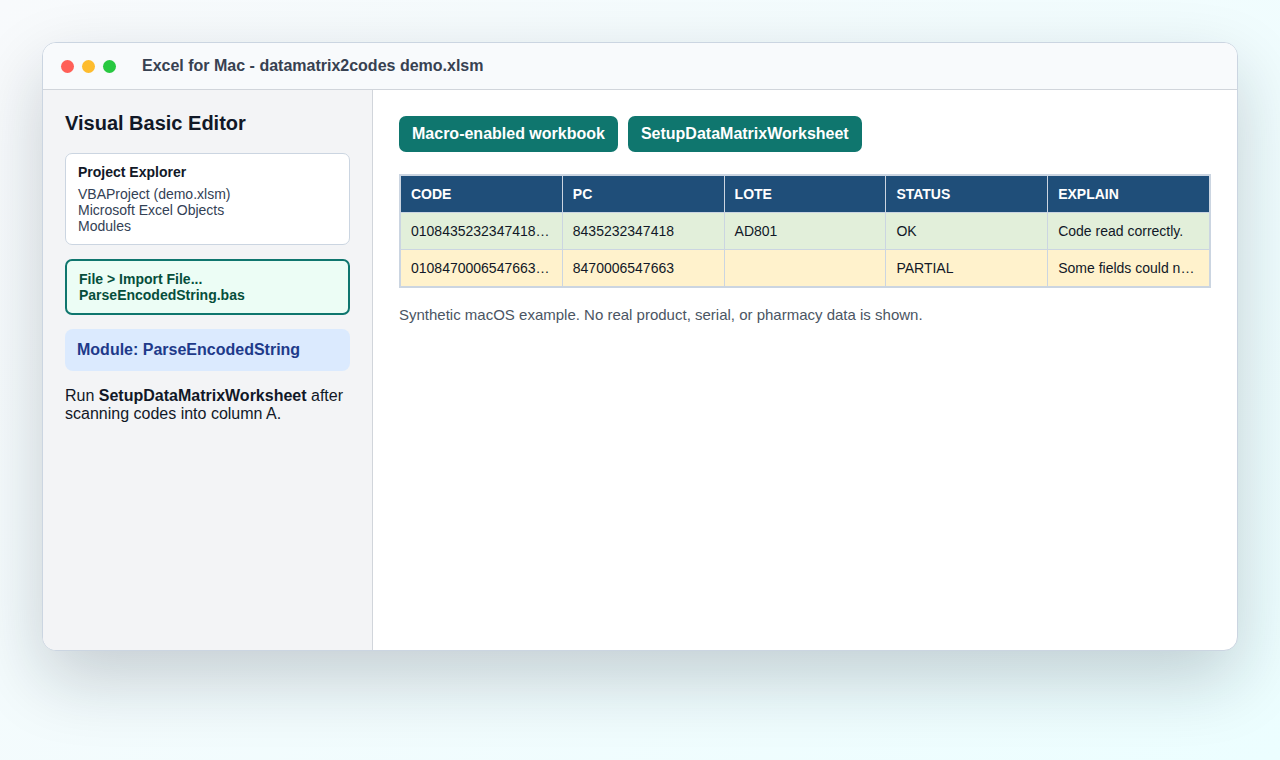
ParseEncodedString.bas. - Open the Visual Basic editor from Tools > Macro > Visual Basic Editor. On some Macs this is also available from Developer > Visual Basic.
- Open Project Explorer with View > Project Explorer if the project tree is not visible.
- In Project Explorer, select
VBAProject (your-workbook-name.xlsm). - Use File > Import File... and select the downloaded
ParseEncodedString.bas. - If you do not see Import File..., right-click the workbook project or the
Modulesfolder in Project Explorer and choose Import File.... - Confirm that a module named
DataMatrix2CodesModuleappears underModules. - Save the workbook again.
Next Step
After the module is imported, follow Excel Quick Start. That page covers the scanner workflow, including when to run DataMatrix2Codes.
If Import Is Still Hidden
Use the manual fallback:
- In the Visual Basic editor, use Insert > Module.
- Open
macro/ParseEncodedString.basin a text editor. - Copy the code from
Option Explicitdownward into the new module. Skip the firstAttribute VB_Name = ...line when pasting manually. - Save the workbook as
.xlsm.
Validate The Module
Run RunDataMatrixSelfTest from the Visual Basic editor. It checks the bundled fixture cases and reports whether the VBA parser matches the expected behavior.
macOS Macro Security
If Excel blocks macros, open Excel settings and allow macros for this workbook. Keep the workbook in a trusted folder if your organization requires it.