Self-Service Circulation
The public kiosk at / is the center of Shelf-School. It does not require a
staff member to remain signed in.
The header identifies Shelf-School and the configured school. Staff login is only for people who operate the library; borrowers do not use it.
Browse without signing in
Select Catalog in the public header to search titles, contributors, topics, ISBNs, or shelf locations. Each result shows how many copies are available. Open a title to see copy numbers, shelf locations, and current availability. Switch between List view for scanning titles and Grid view for browsing covers. List is the initial default; the browser remembers your choice on that device. Both views share search, sorting, and pagination.
Use Available only, Shelf, and Language to narrow the results. Shelf and language filters appear when those values exist in the catalog. When a shelf is selected, availability refers to copies on that shelf. Filters remain selected when moving between pages. Clear filters restores the full catalog.
Borrower names, loan histories, and editing controls are not shown. Employees and students need no credentials to browse.
Circulation photos are decoded only for the current request. They are not saved
to media/, attached to the book, or retained as circulation history.
Check out a book
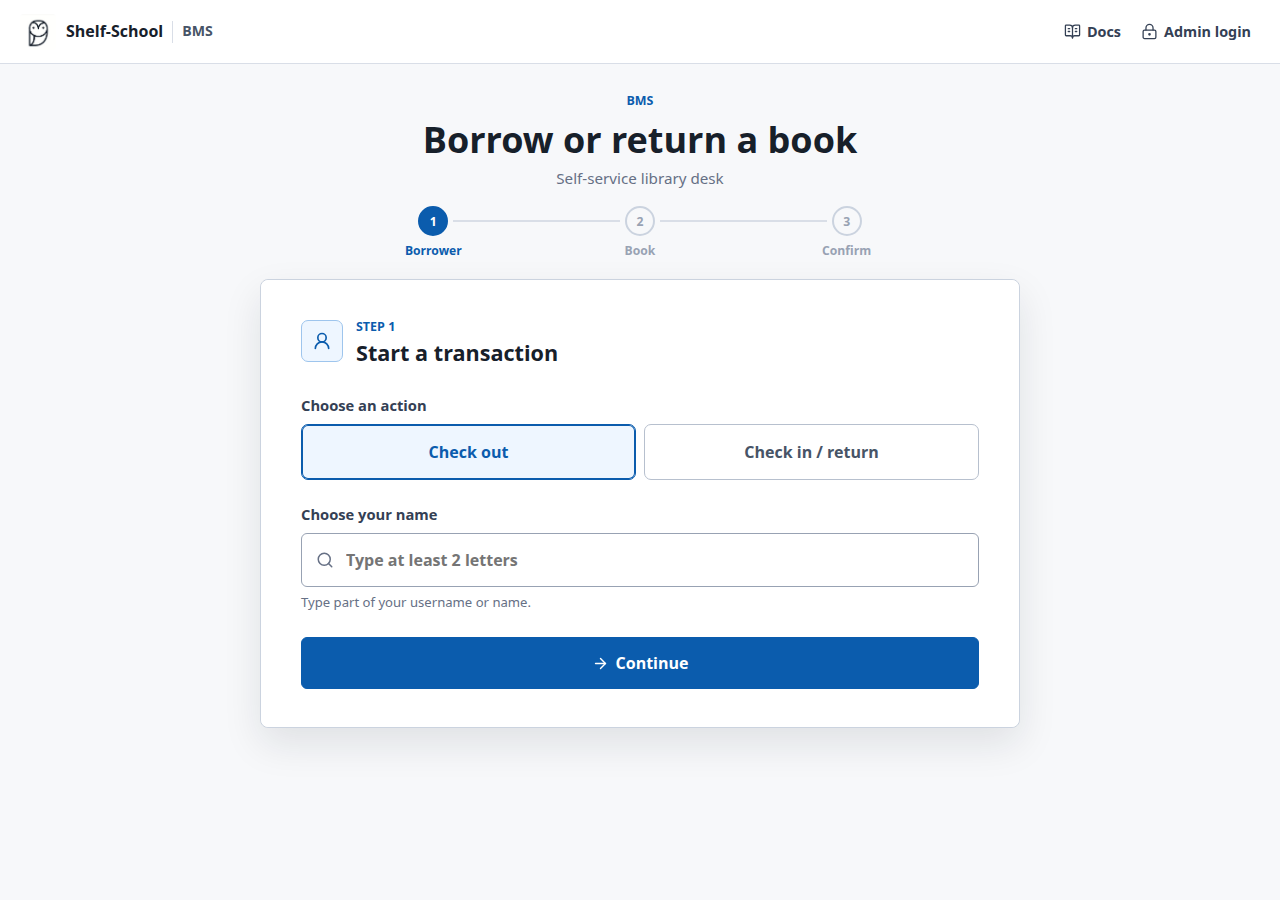
- Keep Check out selected.
- Type at least two letters from the borrower's ID or name.
- Select the borrower from the small matching list.
- Select Continue.
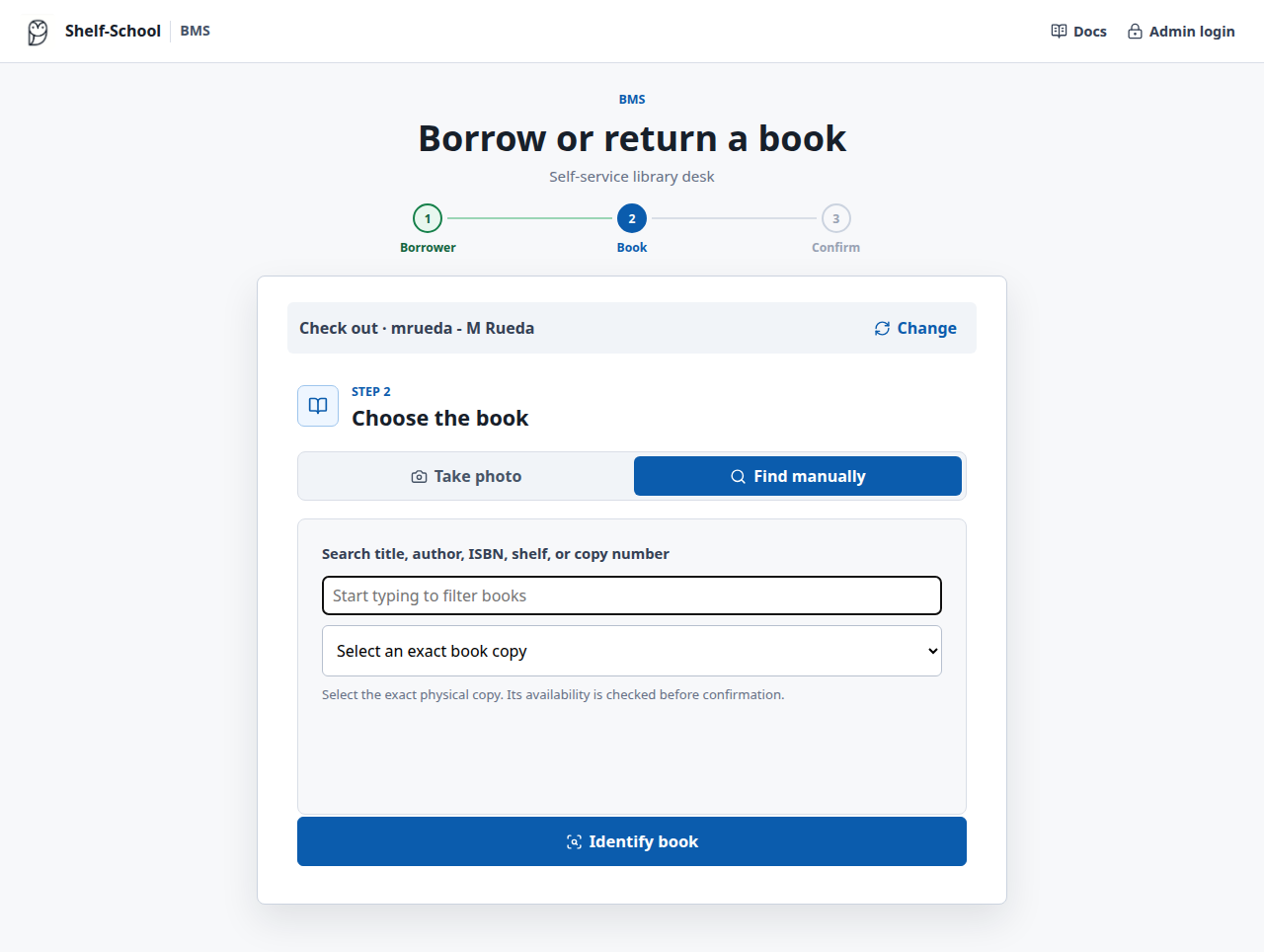
- Find manually is selected by default. Search for the title, contributor, ISBN, shelf, or copy number, then select the exact copy.
- Select Review book and review the checkout basket. Alternatively, select Take photo, photograph a copy QR label or clear ISBN barcode, and select Identify book.
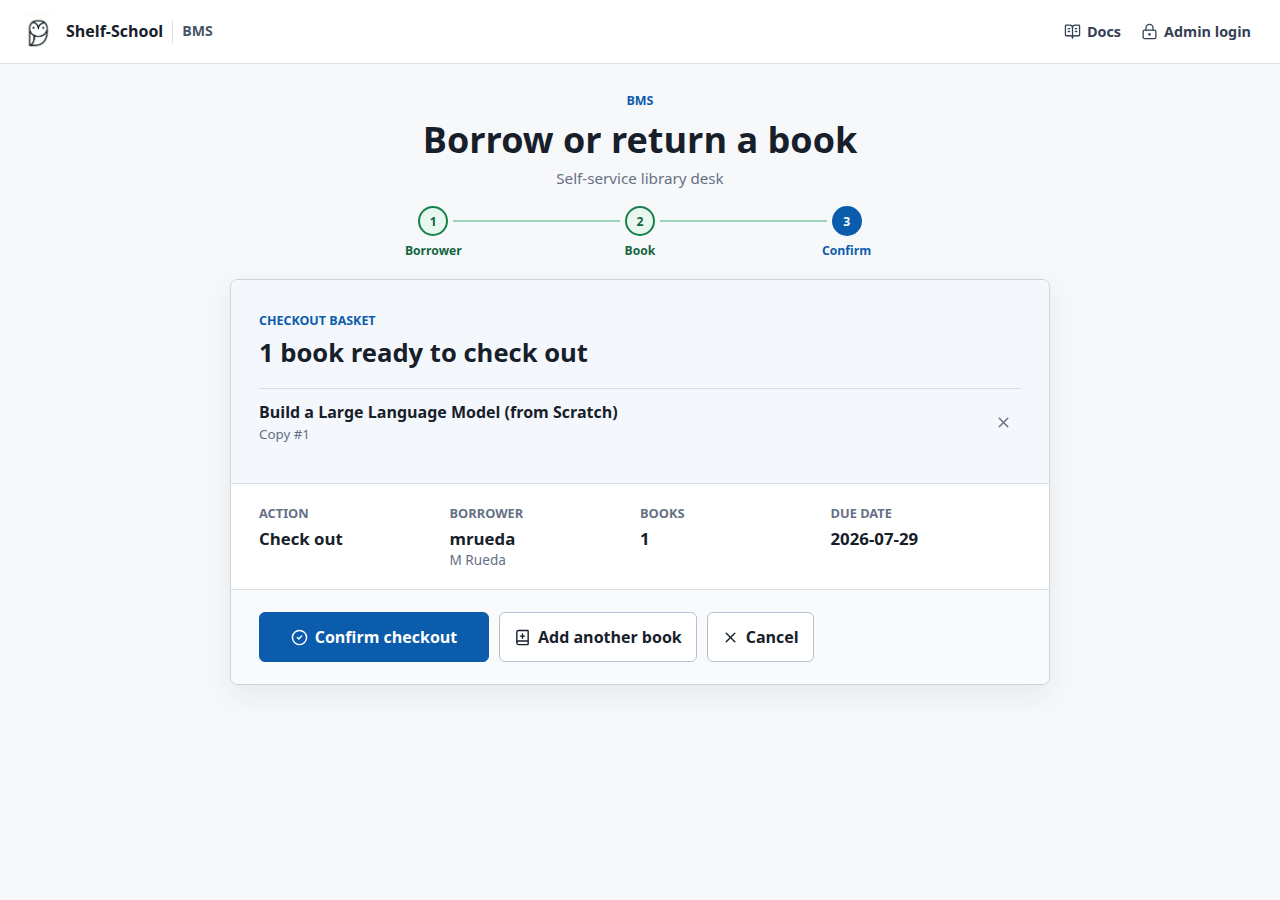
- To borrow more books, select Add another book and identify the next book by photo or manual search.
- Remove any mistaken selection from the basket if needed.
- Review the books, borrower, and due date, then select Borrow 1 book (the button shows the number selected).
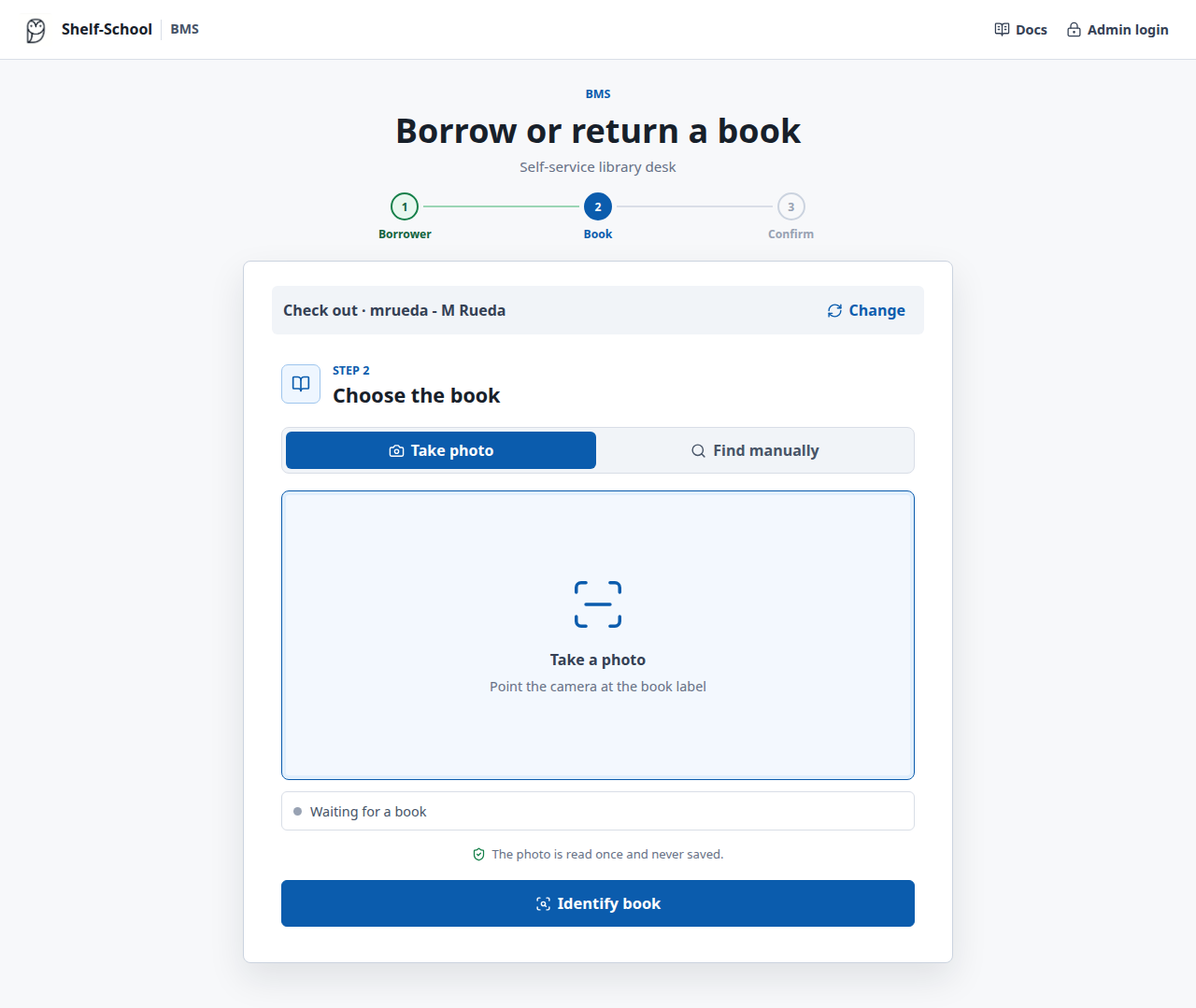
No loan is created while books are being added to the basket. At final confirmation, Shelf-School rechecks every copy and creates all loans in one database transaction. If one copy is no longer available, none of the books are checked out.
Shelf-School shows a completion screen with the borrower, selected books, and due date. Select Next borrower to clear the selection, or Same borrower to start another transaction for that person. Refreshing does not repeat the loan.
On the book step, Change returns to borrower selection and clears the current basket. No loans have been created at that point.
Return a book
- Select Check in / return.
- Search for and select the borrower returning the book.
- Select Continue.
- Select one or more books from that borrower's current loans.
- Select Review 1 book (the count follows your selection).
- Check the selected titles and select Return 1 book (or the selected count).
Only books currently loaned to the selected borrower appear. The list is also validated on the server, preventing a mistaken name selection from changing another student's record. A return does not require a photograph.
The kiosk never downloads the complete borrower directory. It requests at most eight matches after two letters are entered, and fetches loans only for the selected borrower. Email addresses and borrower QR payloads are not exposed.
Identifier behavior
| Photograph contains | Result |
|---|---|
| Shelf-School copy QR | Identifies one exact physical copy. |
| ISBN with one eligible copy | Uses that copy. |
| ISBN with several eligible copies | Requests the copy QR label. |
| Unknown ISBN | Requests staff cataloging. |
| No readable code | Requests a closer photograph. |
Find a book
For checkout, Find manually is the default on every new book step. Take photo remains available alongside it when a readable label is present. The filter uses partial matching against title, contributor, ISBN, shelf, and copy number. Only copies that are ready to borrow appear in the list, and missing metadata is omitted from each option. Select one exact physical copy, then continue to the normal review and confirmation screen. Availability and borrower ownership are validated again on the server.
The kiosk never displays recent named circulation activity to signed-out users.