Import a Catalog
Shelf-School can import a catalog prepared in a spreadsheet or by an external recognition tool. The application itself does not require an AI service.
Prepare the CSV
Open Catalog > Import CSV and select Download CSV template. The downloaded file contains the exact supported headers, with no sample books to accidentally import. Fill it in using your spreadsheet application, then export as UTF-8 CSV. The import page separates Required columns from expandable optional groups, with examples for each field.
Import page and column reference
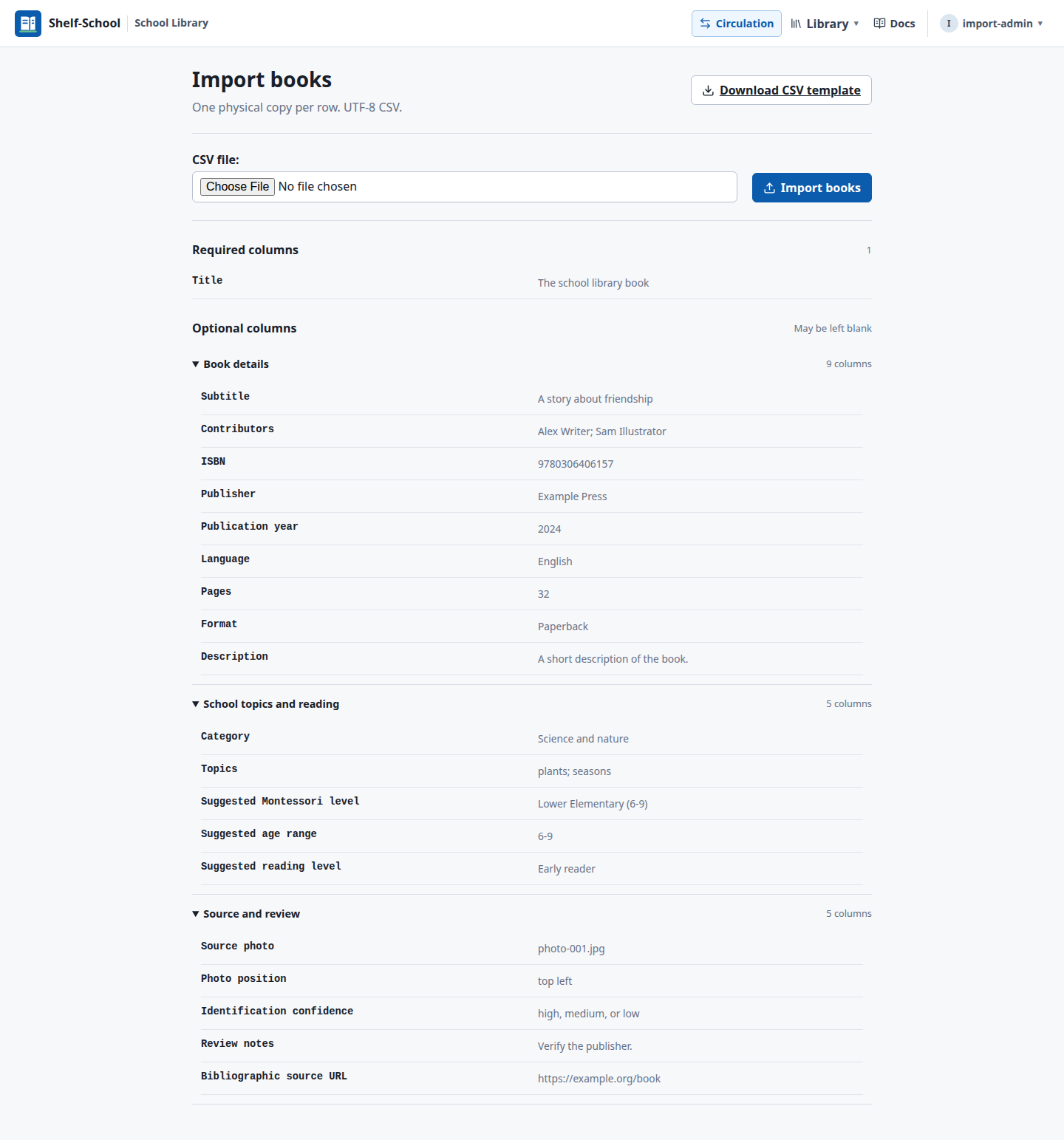
Export the catalog worksheet as a UTF-8 CSV. Each row represents one physical book. If the school owns two identical copies, include two rows; Shelf-School creates one shared title with two separately tracked copies.
Title is the only required column. When a photographed title cannot be read,
leave it empty. Shelf-School preserves the physical book with an Unidentified
book placeholder linked to its source photo and position.
Useful optional columns include:
| Bibliographic | School enrichment | Review and provenance |
|---|---|---|
| Subtitle, Contributors, ISBN | Category, Topics | Source photo, Photo position |
| Publisher, year, language | Montessori level, age range | Identification confidence |
| Pages, format, description | Reading level | Review notes, source URL |
ISBN is optional and must be a confirmed ISBN-10 or ISBN-13. Do not import a guessed identifier.
Import
- Sign in and open Catalog.
- Select Import CSV.
- Choose the exported catalog file.
- Select Import books.
- Review the reported title and physical-copy counts.
The import does not fetch covers. After confirmed ISBNs have been added, select the relevant catalog rows and use Fetch missing covers.
The staff catalog displays 50 titles per page. Search and sorting apply to the full catalog; page controls retain them. Cover selection applies only to eligible books on the current page and resets when navigating. Cover fetching returns to the same page. CSV export still includes the entire catalog.
Needs information
Imported titles receive a Needs information badge when important information still requires checking, including a placeholder title, missing ISBN, contributors or language, or explicit review notes.
Open the title, select Edit book, and use More details to review the enrichment fields. Clear Needs information after checking the physical book. A book that genuinely has no ISBN can still be marked complete and circulated using its Shelf-School copy QR.
Source photo and position are stored on each physical copy. They remain visible from the copy detail page and help staff match imported rows to books during labeling.