Photo Intake
Photo intake is a staff workflow at /books/photo-intake/.
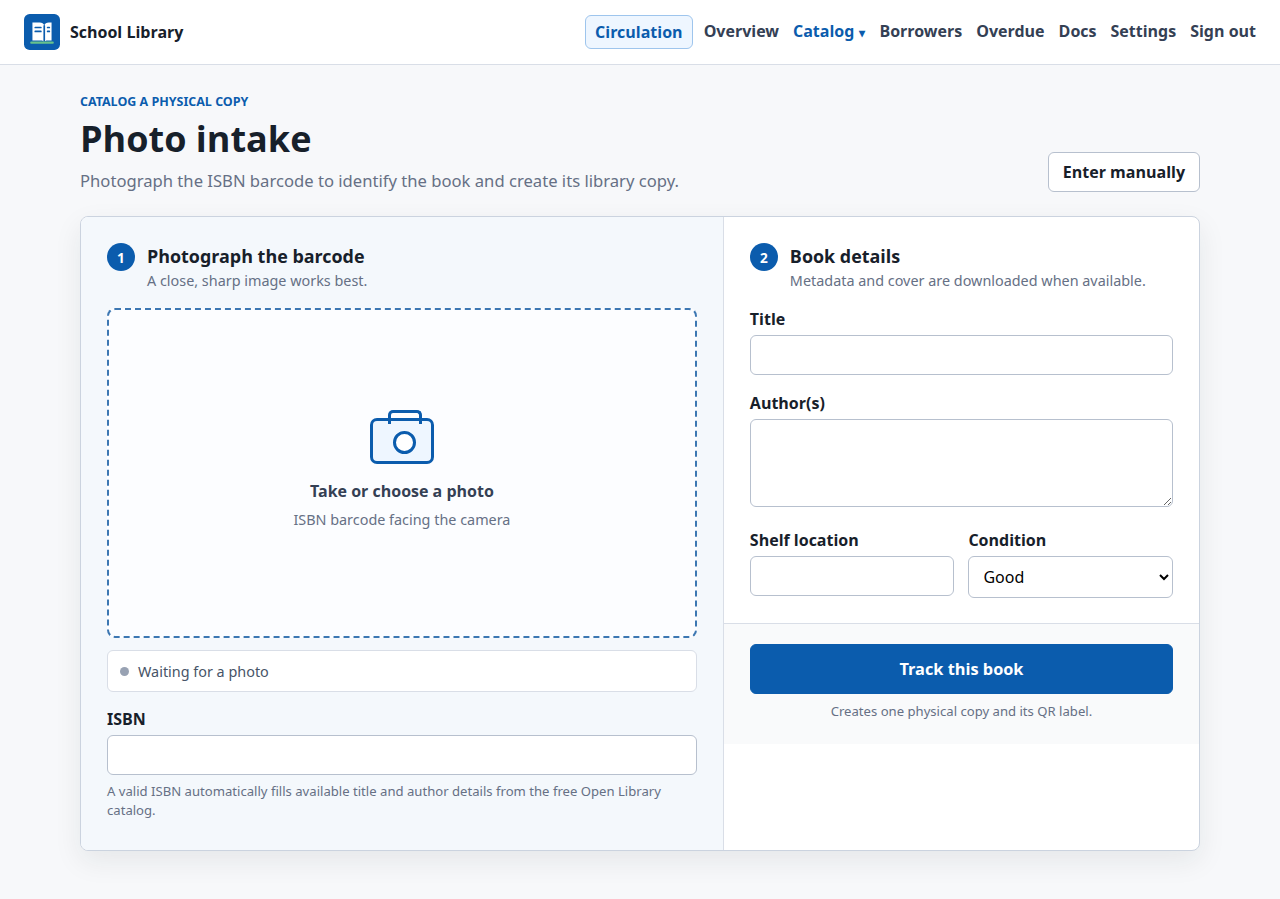
The regular Add book form is also ISBN-first. Entering ISBN-13 or ISBN-10 fills available title, author, publisher, year, language, and description fields before saving. Its catalog cover is downloaded when the book is created.
Add a title and first copy
- Sign in with a staff account.
- Open Photo intake.
- Photograph the back cover closely, with the ISBN barcode in focus and filling most of the frame.
- Confirm the detected ISBN or enter it manually.
- Add a title manually only when no ISBN is available.
- Optionally set author, shelf, and condition.
- Select Track this book.
- Print the generated QR label and attach it to the physical book.
Barcode decoding runs locally with zxing-cpp. When an ISBN is available,
Shelf-School requests free metadata from Open Library. No paid AI API is
required.
When Open Library has a cover, Shelf-School downloads and stores it when staff selects Track this book. The uploaded ISBN photograph is scanner input and is never stored. If no catalog cover is available, the book remains without a cover.
When staff intentionally adds a book without an ISBN using a manual title, the uploaded image is treated as its cover and is stored.
Entering a valid ISBN triggers the free lookup immediately and fills available title and author fields before submission. Publisher, publication year, and other available metadata are stored when the book is tracked.
Open Library does not contain every published ISBN, especially recent independently published titles. In that case Shelf-School clearly reports that the ISBN is valid but no free metadata was found. The ISBN can still be saved; enter title and author manually. Shelf-School also provides an exact-ISBN web search as a no-cost fallback so staff can find and verify the missing details.
General search results are not imported automatically because search pages do not provide a stable, licensed metadata API. Future structured providers can be added without changing this review step.
Stored API or manual covers live under media/covers/. Staff can remove one
with Delete stored photo on the book detail page. Deleting the book record
also deletes its stored cover file.
Fetch covers after an import
CSV import creates the catalog records first and does not wait for external cover requests. After importing:
- Open Catalog.
- Select one or more titles marked Missing in the Cover column. Titles marked ISBN needed must be edited first.
- Select Fetch missing covers.
Shelf-School uses each selected title's valid ISBN to request only its cover from Open Library. Existing covers are never replaced, and no bibliographic metadata is changed. Books without a valid ISBN display ISBN needed and cannot be selected for automatic cover fetching. The result reports downloaded and unavailable covers and any failures. A title remains usable when no cover is available.
Use Edit book on the book detail page to correct catalog metadata later. Shelf-School rejects an ISBN that already belongs to another book record.
Existing ISBN
If the ISBN already exists, photo intake adds another physical Copy to the
existing Book instead of duplicating the title. Each new copy receives its own
QR payload and copy number.
Cover-only photographs
The current implementation does not infer title and author from cover artwork. Use a barcode photograph or enter the title manually. Cover recognition may be added later as an optional matching aid, but uncertain recognition must always require staff review.