Borrowers
Borrowers are students or employees who may hold books. They are not administrator login accounts. Creating a borrower does not create a password or grant access to Shelf-School administration.
Each borrower stores:
- Borrower ID or school identifier.
- First and last name.
- School role: Student or Employee (including non-teaching employees).
- Class for students; optional position for employees.
- Email address.
- Active or inactive status.
- A generated borrower QR payload for optional future workflows.
Add individually
Sign in, open Borrowers, and select Add borrower.
Choose Employee to show the optional position dropdown. Position and school role describe the person; neither grants administrator access. A student may also have a linked administrator login without becoming an employee.
Choose Student to show the optional Class dropdown. The assigned class or employee position appears as a badge beside the school role on their profile.
Classes
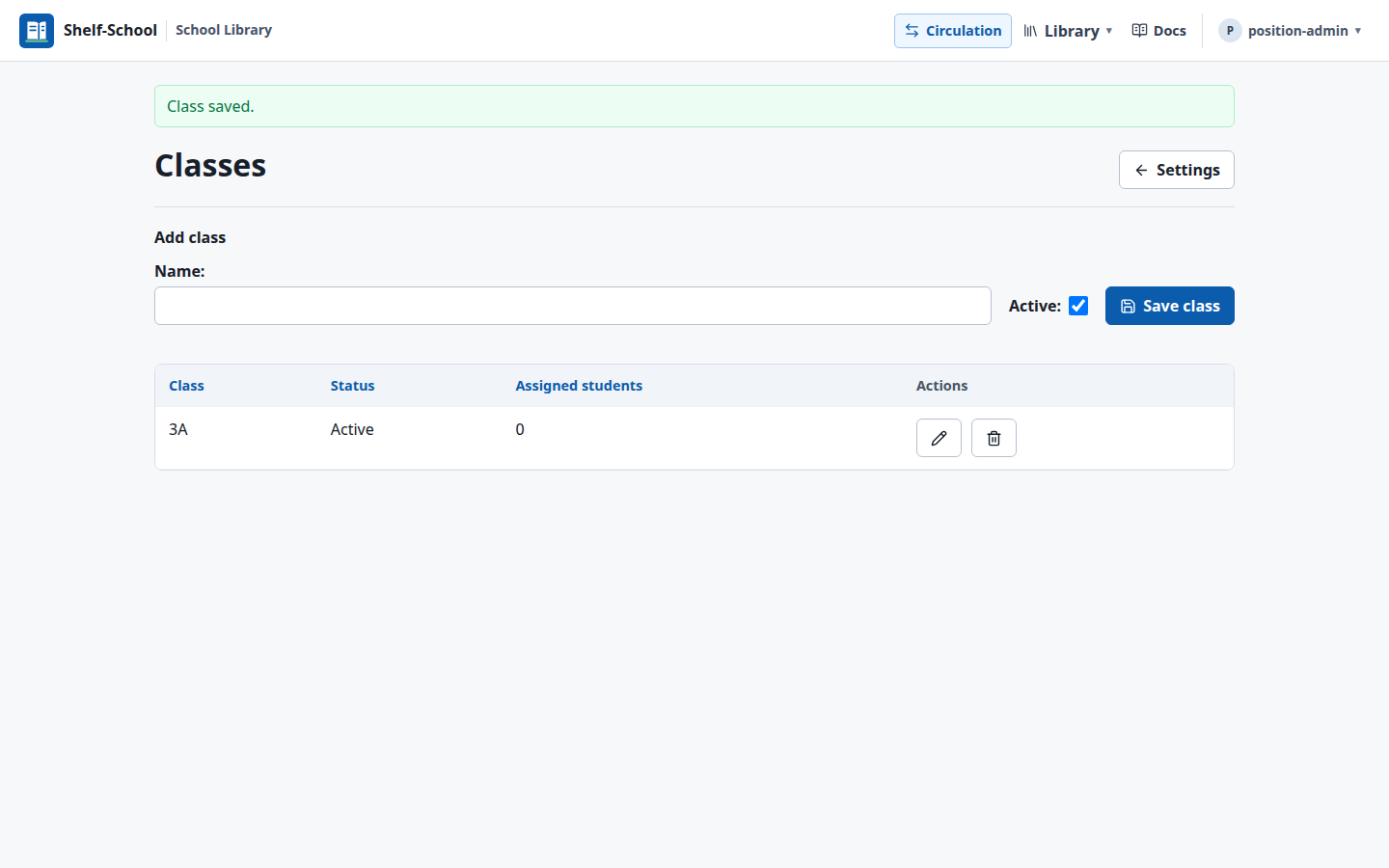
In Settings > Classes, add your school's class names. Existing student classes are preserved when upgrading. Renaming a class updates all assigned students. Deactivate a class to prevent new assignments while keeping existing ones; only unused classes can be deleted.
Employee positions
In Settings > Employee positions, administrators can add, rename, or deactivate positions. Defaults are Teacher, Teaching assistant, Librarian, School secretary, and Head of school. Renaming updates every linked profile. Inactive positions remain on existing profiles but cannot be newly assigned. Only unused positions can be deleted.
Import CSV
Use Download CSV template on the import page to get an empty file with all supported headers. It contains no sample borrowers. The page displays required fields and expandable optional groups with accepted values.
Borrower import and column reference
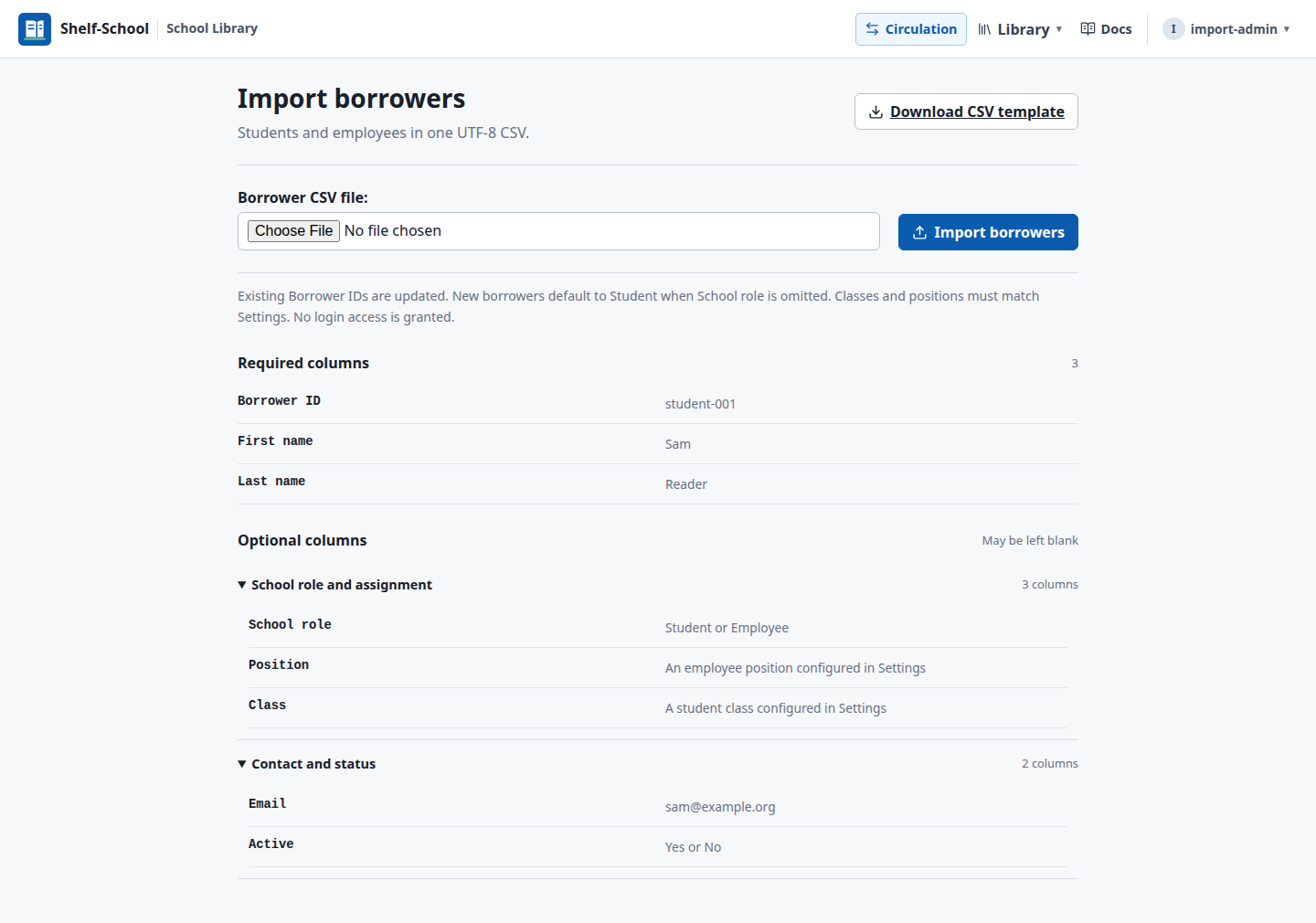
The borrower import accepts UTF-8 CSV files with these columns:
Borrower ID,First name,Last name,School role,Position,Class,Email,Active
Example:
Borrower ID,First name,Last name,School role,Position,Class,Email,Active
ana,Ana,Garcia,Student,,4A,ana@example.org,yes
pat,Pat,Reader,Employee,Teacher,,pat@example.org,yes
Borrower ID is the update key. Importing an existing Borrower ID updates that borrower rather than creating a duplicate.
Only Borrower ID, First name, and Last name columns are required. New borrowers default to Student if School role is omitted or blank. A blank School role preserves an existing borrower's role. Omitted optional columns preserve existing values; a blank Position or Class cell clears that assignment. Class and position names match Settings regardless of capitalization. Configure them before importing. Unknown or newly assigned inactive classes or positions produce a row-specific error, and the entire import is rolled back so nothing is partially saved.
Use Settings > Import borrowers CSV for both students and employees, including mixed files. The same import is available from the Borrowers list. Set School role to Employee for employee rows. Importing borrowers never creates login accounts, passwords, or administrator permissions.
For a borrower with a linked login, that account controls the Borrower ID, name, and email. CSV import preserves that identity while updating school role, position, and active status. Employee profiles do not use a class field.
Inactive borrowers remain in historical loan records but are removed from the public kiosk dropdown.
Review a borrower
The staff Borrowers page shows how many active borrowers currently have books out and flags overdue loans. Select a borrower to see their contact and class details, current loans with due dates, and recent loan history.
Select Edit borrower to correct the Borrower ID, name, class, email, or active status. For a linked staff borrower, edit identity details under Settings > Manage staff accounts. An inactive borrower is excluded from checkout search but remains searchable for return while they still have a book on loan.
Correct a loan assigned to the wrong borrower
If a book was checked out under the wrong name, staff do not need to return and check out the book again:
- Open the physical copy from the catalog or borrower record.
- In Current borrower, select Change borrower.
- Choose the correct active borrower and confirm.
This changes only the active loan. Returned loans and historical circulation records cannot be reassigned from this screen.